English

Features

An AI Employee with the skills to move work forward.

Explore the connected capabilities behind useful customer work: knowledge, recommendations, leads, quotations, appointments and supervision.

A capable employee, a connected workflow

Discover the work your AI Employee can handle.

Knowledge, customer context and business rules come together to move work forward. Explore the core capabilities, then choose a first workflow for your business.

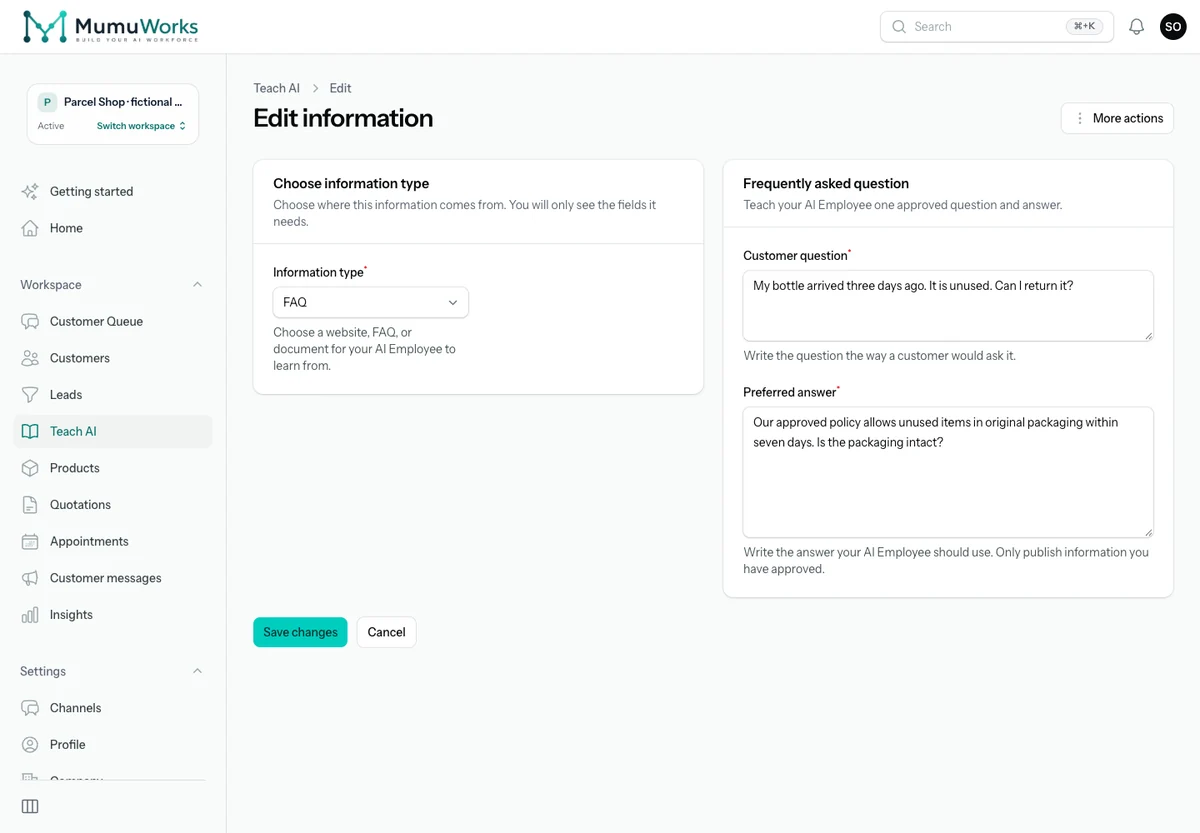
Parcel Shop demo: approved seven-day returns FAQ in Teach AI.
Actual product screen · synthetic demonstration data

Teach it your business

Answer everyday questions with your FAQs, products, prices, websites and documents.

For example: “Can I return an unused bottle?” Answer from the online shop’s approved seven-day returns policy.

What to set up

Keep approved sources current; check processing and Test my AI before activation.
Recommend the right options

Ask about needs, explain approved product choices and share relevant materials.

For example: Compare 18-litre and 24-litre backpacks after asking what the retail customer carries.

What to set up

Use approved product specifications, prices and materials; confirm missing facts.

Capture and qualify leads

Turn buying interest into customer requirements and opportunities your team can follow.

For example: Capture the course, learner count, preferred language and start month for a training enquiry.

What to set up

Enable lead capture and teach your qualification rules. Customer statements support recorded facts.

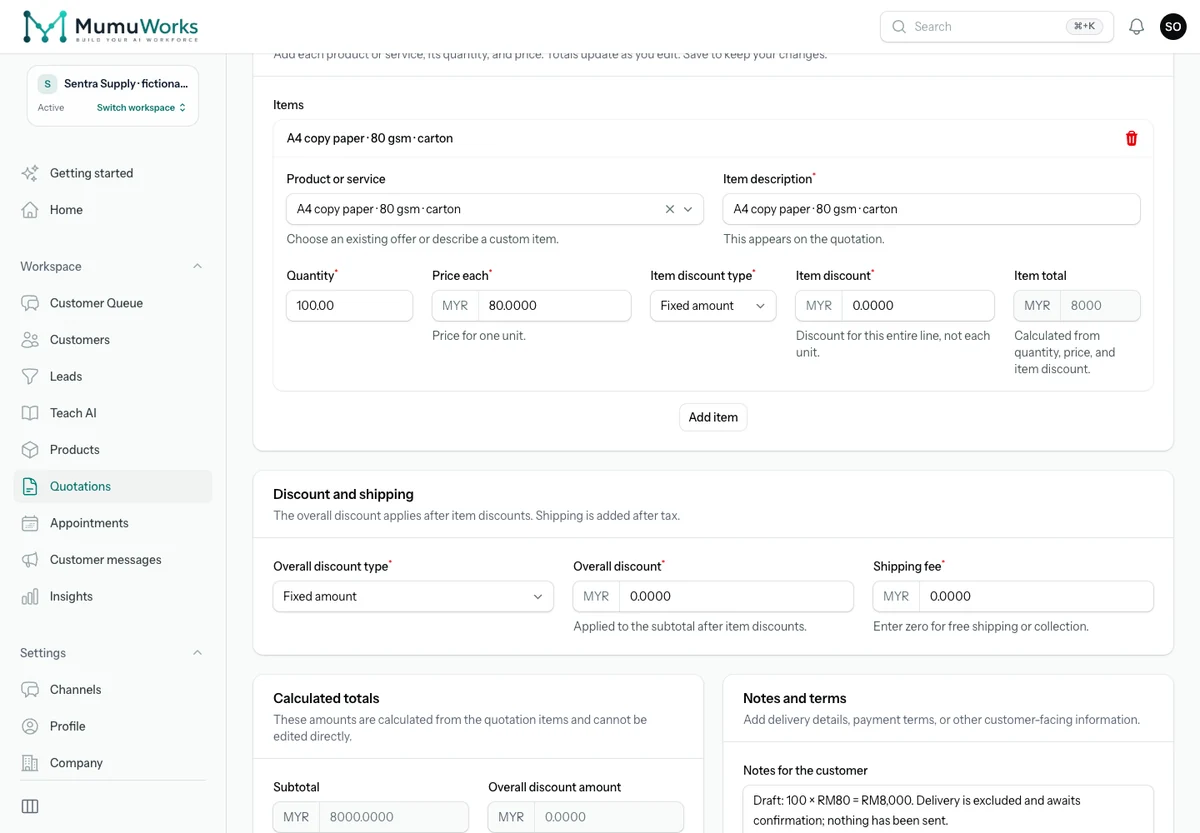
Sentra Supply demo: 100 A4 paper cartons at RM80 each, RM8,000 before delivery.
Actual product screen · synthetic demonstration data

Prepare quotations

Move from confirmed requirements to a quotation using approved products and prices.

For example: For a B2B enquiry, prepare 100 A4 paper cartons at RM80 each: RM8,000 before any agreed delivery charge. Approval and sending follow your settings.

What to set up

Set quotation preparation, approval and sending; channel eligibility and discount rules apply.

Arrange appointments

Offer configured availability, book appointments and handle rescheduling or cancellation.

For example: Ask about the vehicle and requested service, then offer a configured slot for a 30-minute tyre inspection.

What to set up

Enable appointments and set services, resources, hours and rules. Authorize Google Calendar for connected-calendar use.

Remember customer context

Keep reviewable preferences, requirements and conversation history for the next conversation.

For example: Keep a furniture customer’s minimalist style and four-metre kitchen requirement for the next discussion.

What to set up

Your team can review and correct context. Identity across separate channel accounts needs confirmation.

Understand more than text

Work with customer images, voice messages and supported documents alongside the conversation.

For example: Use a photo of packaging, a voice explanation and a B2B specification sheet to clarify the required carton size.

What to set up

Supported formats and sizes vary by channel. Private processing, storage and AI usage apply.

Follow up with purpose

Continue an agreed quotation or product conversation at the right time, with the reason intact.

For example: A training coordinator asks to revisit a 12-person course quotation on Friday. Keep the agreed timing and requirements together.

What to set up

Enable the relevant follow-up workflow. Timing, channel reply rules and usage allowances apply.

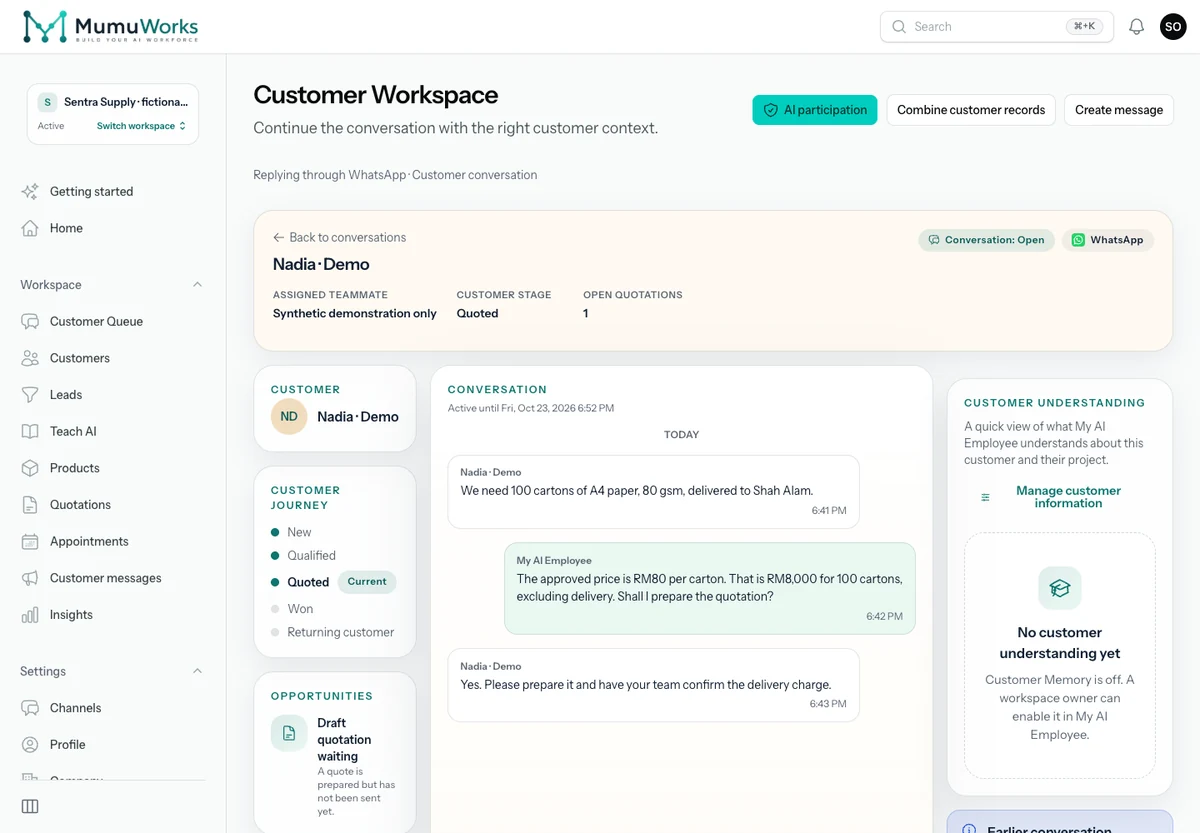
Sentra Supply demo: Nadia requests 100 cartons of A4 paper and asks the team to confirm delivery charges.
Actual product screen · Sentra Supply wholesale enquiry · synthetic demonstration data

Keep your team in control

Supervise work in Customer Workspace. Take over, approve where needed and handle exceptions with context.

For example: Review Nadia’s enquiry for 100 cartons of A4 paper and the unsent RM8,000 quotation draft. Your team still needs to confirm delivery charges.

What to set up

Teach approval and handover rules, assign responsibility and activate routine automatic replies when ready.

A capable employee, a connected workflow

The details that make everyday work flow.

Converse in customer languages

Handle multilingual conversations while preserving product facts and business rules.

Share relevant product materials

Find approved catalogues and files linked to the customer’s requirements.

Respect commercial boundaries

Use your enabled negotiation rules and send exceptions to the right person.

Record customer orders

Create a customer order from agreed items when the order workflow is enabled. Fulfillment stays with your business.

Review customer and conversation insights

See customer context, operational activity and recorded usage to guide supervision.

Work in your team’s workspace

Assign people, review customer tasks and control access within your workspace.

What useful work could your AI Employee take off your team’s plate?

Start with the enquiries your team answers every day. Teach one workflow, see the next step and build from there.